
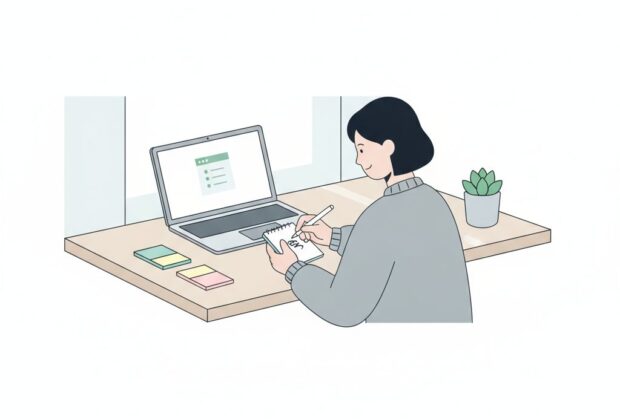
Knowledge workers lose countless hours each week to interruptions caused by trying to capture ideas the moment they appear. A well-designed async capture workflow solves this problem by separating the act of capturing information from the act of processing it. Instead of stopping to file a note perfectly, you jot it down quickly and deal with it later, in a dedicated batch. This article breaks down how to design such a system, which tools support it, and how to structure daily and weekly routines around it.
Why Async Capture Matters
Deep work requires sustained focus, but ideas rarely wait for a convenient moment. Without a fast, low-friction way to capture them, you're forced into a bad tradeoff: either break concentration to record the thought properly, or risk losing it entirely. An async-first approach removes this tension. The goal is to make capture nearly instantaneous and effortless, deferring organization, tagging, and linking to a separate, scheduled session.
This principle sits at the core of any async-first personal knowledge management system, as explored in our broader guide to building an async-first PKM. Capture is the entry point to that system, and getting it right determines whether the rest of the workflow succeeds.
Designing a Frictionless Inbox
The foundation of any async capture workflow is a single, trusted inbox. This is not your final knowledge base — it's a temporary holding area where raw, unprocessed thoughts land before being triaged. A good inbox has a few defining characteristics:
- Always accessible: available on your phone, laptop, and ideally through voice input.
- Zero-decision entry: no folders or tags required at the moment of capture.
- Single source: one inbox, not five scattered note apps, to avoid fragmentation.
Many people make the mistake of designing an elaborate note structure and trying to file things correctly on the first pass. This defeats the purpose of async capture. The whole point is to defer classification to later, when you have the mental space to think about where something belongs — a task closely tied to organizing notes with frameworks like PARA and Zettelkasten, covered in a companion article on that topic.
Choosing Quick-Capture Tools
Your capture tool should disappear into the background of your day. Popular options include lightweight note apps with global keyboard shortcuts, voice memo apps for capturing thoughts while walking or driving, and browser extensions for saving links without opening a new tab workflow. The best tool is the one you'll actually use in the two seconds you have before an idea slips away.
A more detailed comparison of specific apps, including their sync speed, offline support, and cross-device reliability, is available in our roundup of the best tools for async note-taking in 2024. For the purposes of this workflow, what matters most is that your chosen tool supports rapid entry — ideally under five seconds from opening the app to saving a note.
Text, Voice, and Link Capture
Different types of input call for different capture methods:
- Text notes: best for quick thoughts, task ideas, or fragments of writing.
- Voice capture: ideal when your hands are busy or you're away from a keyboard.
- Link capture: browser-based tools or share-sheet integrations let you save articles and pages without breaking your reading flow.
Standardizing on one tool per input type reduces decision fatigue and keeps your inbox consistent.
Batching: The Heart of Async Processing
Capture without a processing rhythm just creates a growing pile of clutter. The async model works because captured items are reviewed and organized in dedicated batches rather than continuously. This is what separates async capture from constant, reactive note-taking.
Daily Capture Routine
A simple daily routine might look like this:
- Morning: quickly scan yesterday's inbox items during a coffee break, not during focused work.
- Throughout the day: capture freely into the inbox with zero processing.
- End of day (10-15 minutes): sort new items into rough categories — task, reference, idea, or discard.
This routine keeps the inbox from becoming overwhelming while still protecting long stretches of uninterrupted work.
Weekly Capture Routine
Beyond daily triage, a weekly session allows for deeper processing:
- Review all items sorted during the week and integrate them into your permanent notes structure.
- Identify recurring themes or ideas worth developing further.
- Archive or delete anything that no longer feels relevant.
This weekly rhythm pairs naturally with a broader review ritual, which is discussed in more depth in our piece on weekly review rituals for async knowledge systems. Together, daily triage and weekly review create a sustainable cadence that prevents both note overload and capture fatigue.
Common Pitfalls to Avoid
Even well-intentioned async capture systems can break down. Watch for these common issues:
- Too many inboxes: splitting capture across multiple apps defeats the purpose of a single trusted entry point.
- Over-processing at capture time: tagging or organizing while capturing slows you down and reintroduces friction.
- Skipping the batch review: without regular processing sessions, the inbox becomes a graveyard of forgotten ideas.
- Manual repetition: repetitive sorting tasks can often be reduced through automation, a topic covered in our guide to automating your async PKM with scripts and APIs.
Building Your Own Workflow
Start small. Pick one capture tool, commit to a single inbox, and set a recurring 15-minute daily triage session along with a 30-60 minute weekly review. Resist the urge to perfect your organizational structure before you've even tested whether the capture step itself feels frictionless. Over time, adjust the cadence and tools based on where you notice friction or backlog building up.
An async capture workflow isn't about capturing more — it's about capturing without cost to your focus. When designed well, it becomes an invisible habit that feeds a much larger knowledge system, giving you a steady stream of raw material to think with, without ever pulling you out of deep work.